"Training" an AI chatbot sounds technical, but for a small business it mostly means one thing: giving the chatbot good information about your business. The better your content, the better its answers.
This guide explains what training really means, what to give your chatbot, what to leave out, and how to fix wrong answers so they stay fixed.
How chatbot training actually works
Most AI chatbots for businesses don't change the AI model itself. Instead, they work more like a well-organised assistant with a filing cabinet:
- Your content is stored and indexed. Your website pages, documents and Q&A are split into small pieces so they can be searched.
- A customer asks a question. The chatbot searches your content for the pieces that best match it.
- The AI writes an answer from those pieces. It uses the AI model's language skills, but the facts come from your content.
This is good news for you. It means:
- You don't need technical skills or huge amounts of data.
- Updating the chatbot is as simple as updating your content.
- You can trace every answer back to its source.
When a chatbot gives a wrong answer, the cause is usually the content, not the AI: the information is missing, unclear or out of date.
Start with your website
Your website is the best starting point because it's already written for customers. Most chatbot tools can read your site from its address. These pages tend to help the most:
- Services or products: what you offer, with details.
- Prices: even "from" prices help a lot.
- About and contact: location, opening hours, phone, email.
- Policies: delivery, returns, cancellations, bookings, payment.
- FAQ: the questions you already answer.
What to leave out
More content isn't always better. Leave out pages that could confuse your chatbot:
- Old news and blog posts about offers, prices or services that have changed.
- Job listings, unless you want the chatbot answering questions about jobs.
- Duplicate or near-empty pages, like tag archives or thin category pages.
- Anything private: internal documents, staff details, customer data.
If an old page is still on your website, it can still mislead customers too. Consider updating or removing it.
Fill the gaps with questions and answers
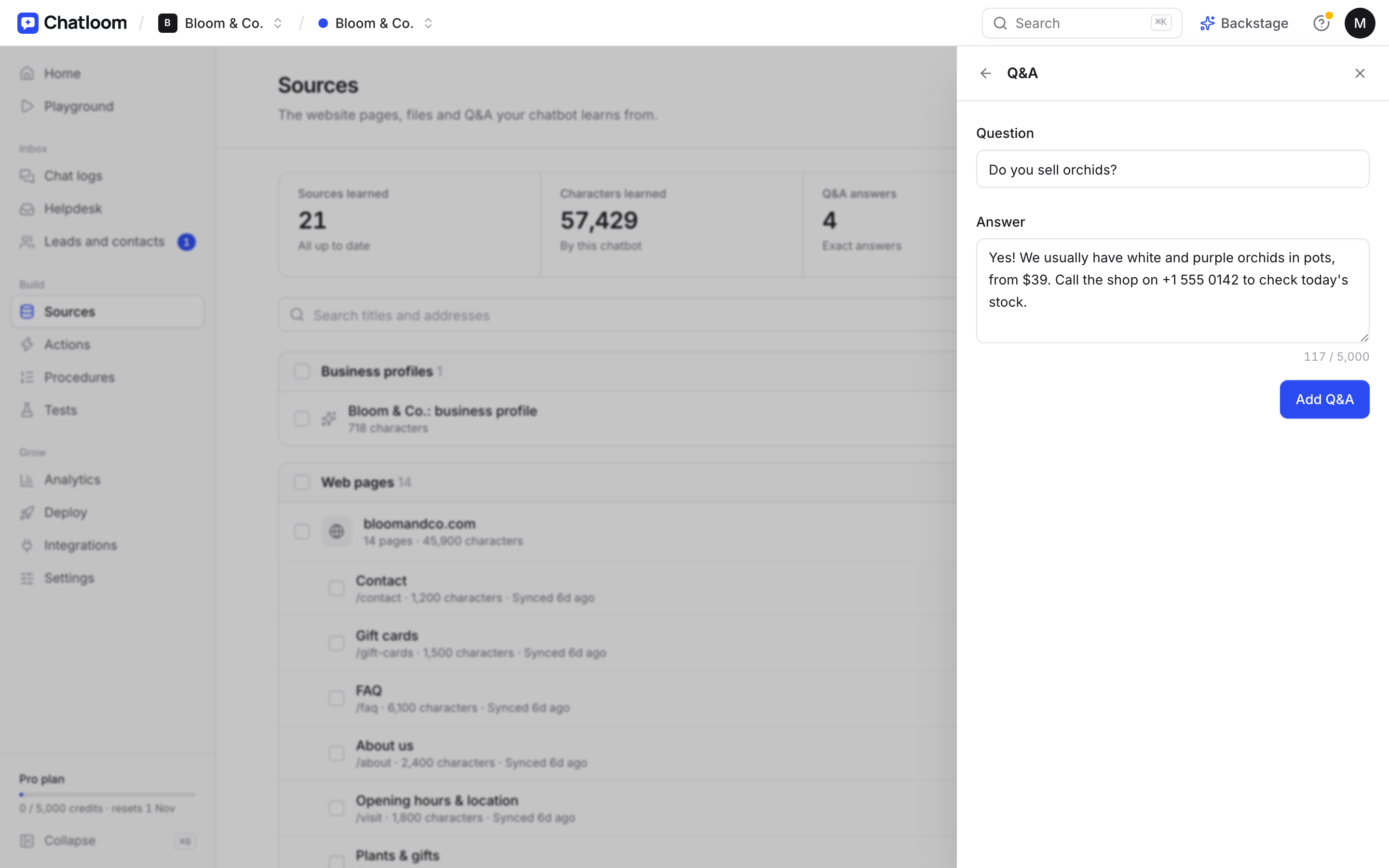
Your website won't cover every question. Short Q&A entries are the quickest way to fill gaps. Good candidates:
- Questions you answer every week by phone or email.
- Practical details: parking, accessibility, pets, payment methods.
- Things you'd rather say in your own words: how to handle a complaint, or what makes you different.
Write answers the way you'd say them to a customer: short, specific and friendly.
Add files for what isn't on your website
Some useful information lives outside your website: price lists, menus, brochures, service guides. Most chatbot tools let you upload files like PDFs or documents, or connect sources like Notion or Google Drive.
Two tips:
- Use the latest version. Remove old files when you upload new ones.
- Prefer clear text. Scanned images of text and complicated layouts are harder for any chatbot to read.
Before and after: making a page chatbot-friendly
Content that reads well for people usually works well for a chatbot too, but vague pages cause vague answers. Here's a typical example.
Before: a services page that says "We offer a full range of cleaning services for homes and businesses across the city. Contact us for a quote tailored to your needs."
Asked "How much is a deep clean for a two-bedroom flat?", a chatbot can only say it doesn't know, and suggest contacting you. That's honest, but not helpful.
After: the same page, with specifics:
- Regular home cleaning: from $25 an hour, minimum 2 hours.
- Deep clean: from $180 for a 1–2 bedroom home, $240 for 3 bedrooms.
- Areas: the city centre and neighbourhoods within 15 km.
- Booking: at least 48 hours' notice; free cancellation up to 24 hours before.
Now the chatbot can answer the question precisely, and so can every customer reading your website. If you don't want to publish exact prices, a "from" price or a typical range still helps a lot, or you can add it as a Q&A entry for the chatbot only.
Three habits make content easy for a chatbot to use:
- Be specific. Numbers, days, areas and conditions beat general claims.
- One topic per section. Separate headings for prices, areas and booking rules help the chatbot find the right piece.
- Write the question in the customer's words. If customers ask "Do you do end-of-tenancy cleans?", use that phrase on the page.
Give it instructions, not just information
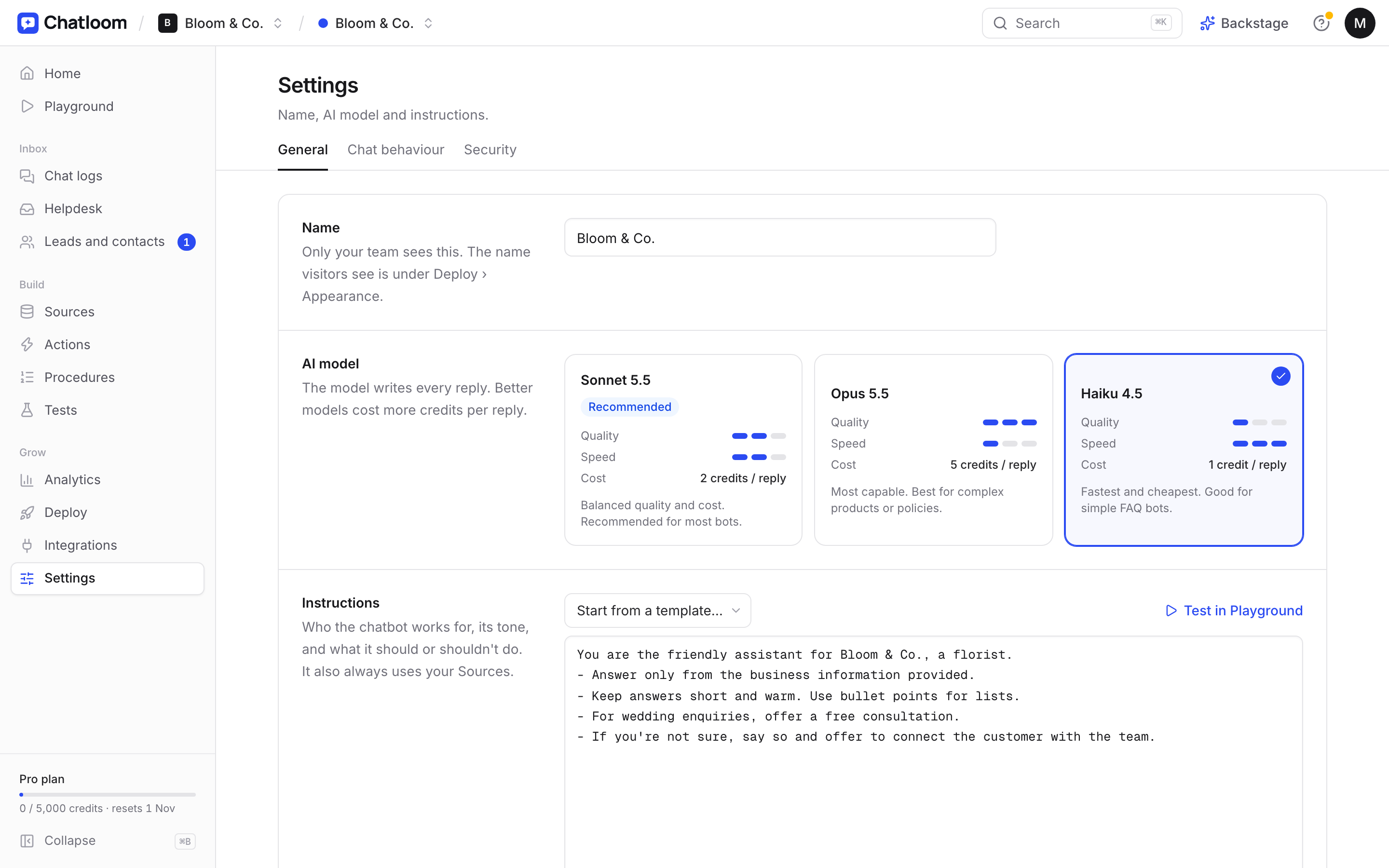
Content tells the chatbot what to say. Instructions tell it how:
- Tone: friendly and short, or formal and detailed.
- Boundaries: for example, "Don't give medical advice; offer to connect the patient with our team."
- Goals: for example, "If someone is interested in a consultation, offer to book one."
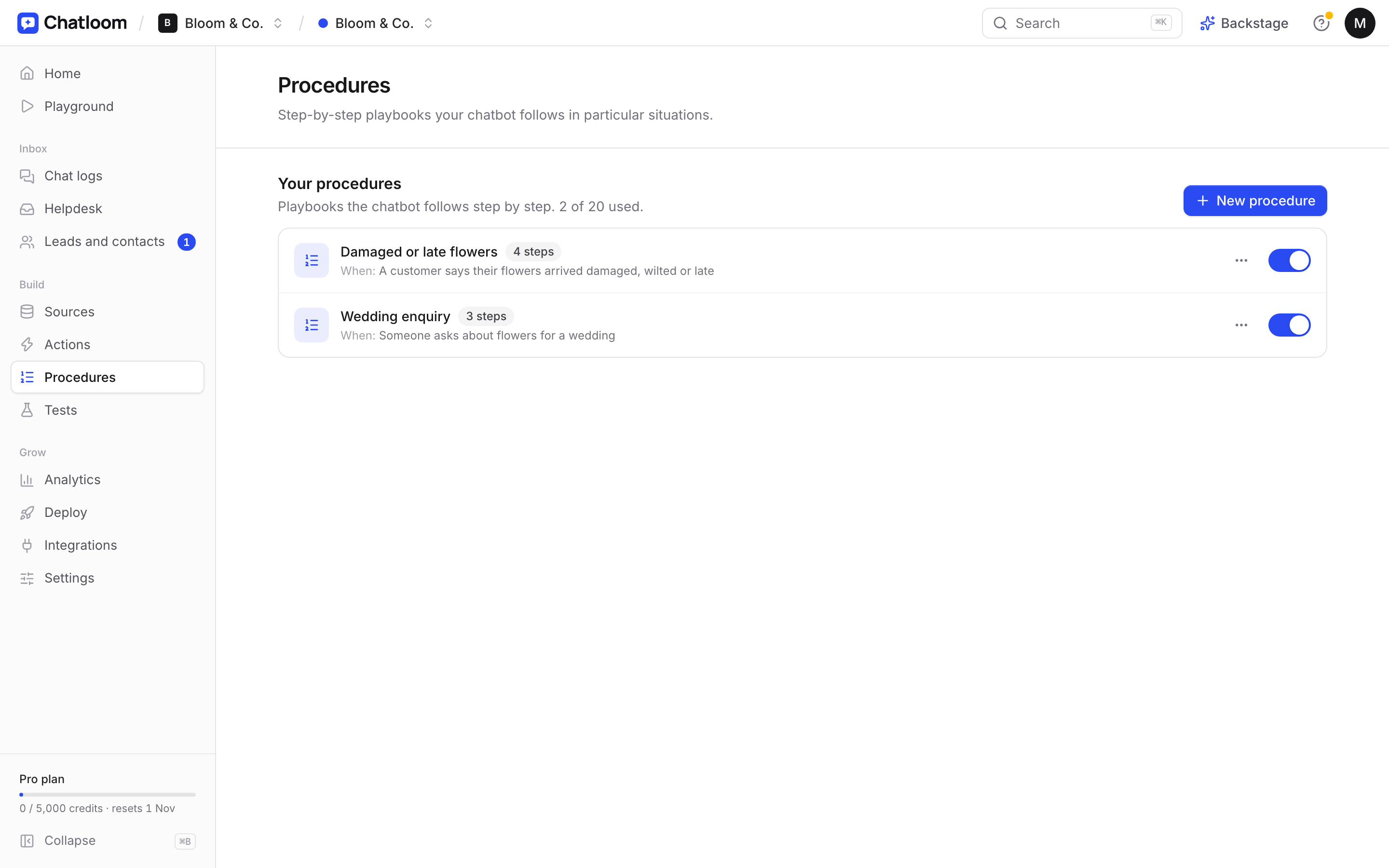
For step-by-step situations, like handling a refund request or a complaint, some tools let you write a procedure the chatbot follows. In Chatloom these are called procedures.
Test with real questions
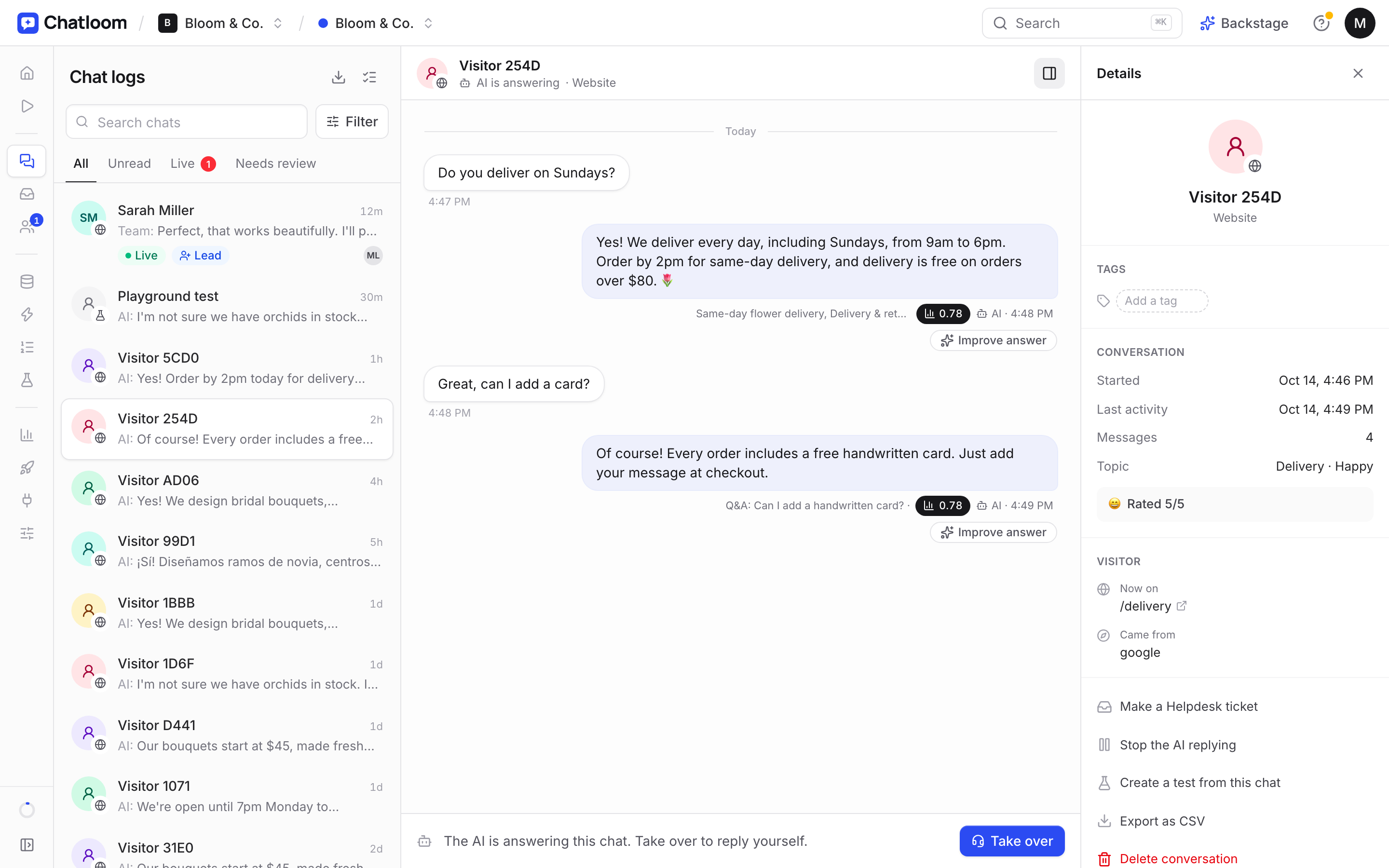
Before you put the chatbot live, test it with the questions customers really ask, in their own words. Include:
- Your most common questions.
- Questions with a twist, like a specific date or nearby town.
- Questions it shouldn't answer, to check it admits when it doesn't know.
Check the source of each answer. If it's using the wrong page, that page probably needs clearer wording.
How to fix a wrong answer for good
When the chatbot gets something wrong, resist the urge to only correct that one answer. Follow these steps:
- Find the source. Which page or document did the answer come from?
- Fix the cause. Update the unclear or outdated page, remove the misleading one, or add a clear Q&A entry.
- Refresh the content in your chatbot tool, so it reads the new version.
- Ask the question again, in a few different ways, to check the fix.
Fixing the source means the answer stays right, and your website gets better for customers too.
Keep it accurate over time
A chatbot is only as current as its content. Build a small habit:
- Weekly: review the questions it couldn't answer, and add the answers.
- Whenever things change: prices, hours, staff, services. Update your website, then refresh it in the chatbot.
- Every few months: read a sample of conversations to check the tone and accuracy.
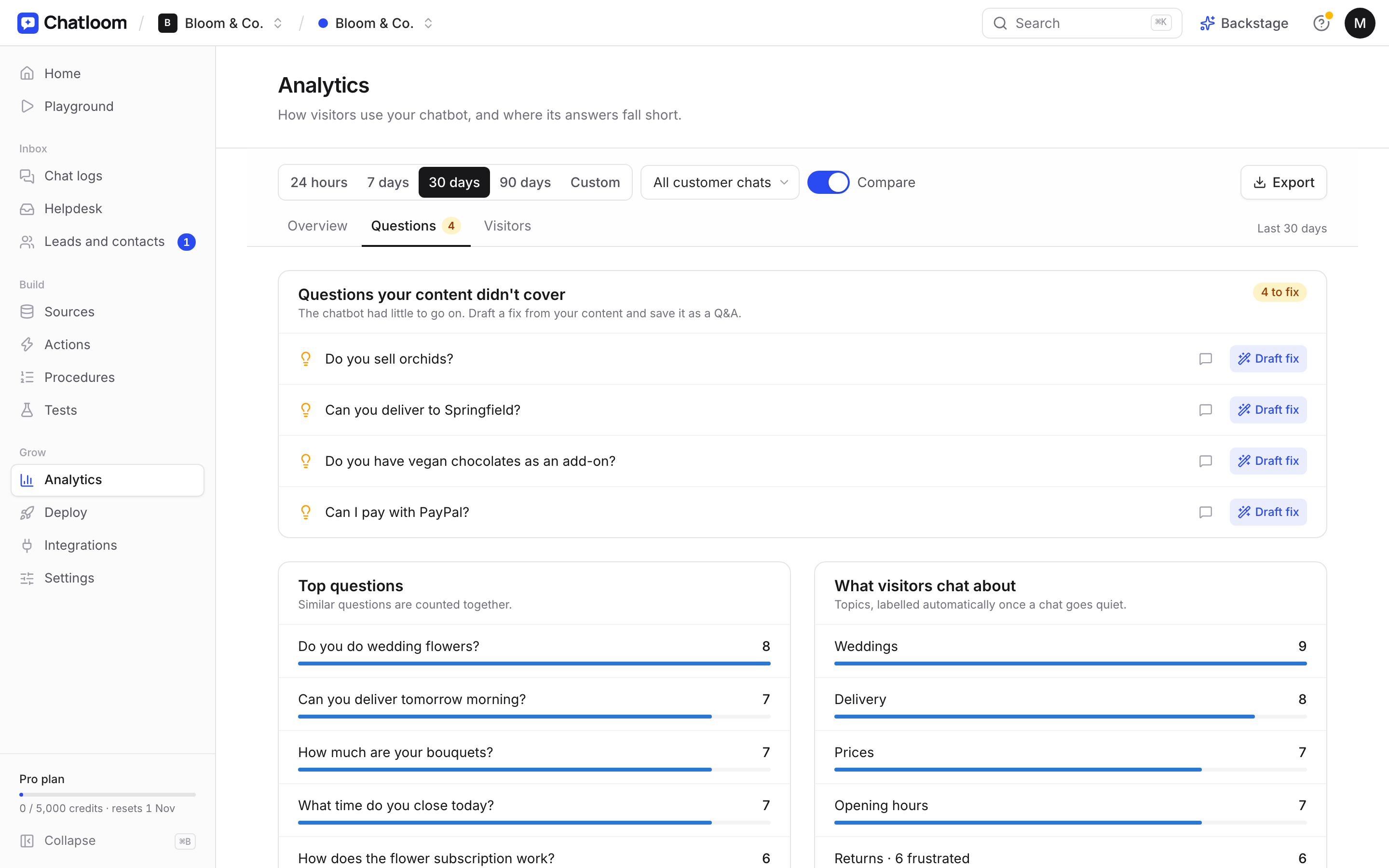
Many tools help with this. Chatloom, for example, lists the questions your chatbot couldn't answer and can draft an answer for you to approve.
Your training checklist
- Website pages added: services, prices, contact, policies, FAQ
- Confusing or outdated pages left out
- Q&A added for common questions that aren't on your site
- Files uploaded for price lists, menus or brochures
- Tone, boundaries and goals written as instructions
- Tested with real customer questions, sources checked
- Weekly review of unanswered questions in your calendar
Good training isn't a one-off job, but it doesn't take much time either. A few minutes a week keeps your chatbot accurate. If you'd like to try it, Chatloom's free plan lets you train a chatbot on your own website and test it before you install anything.
Questions
How do you train an AI chatbot on your own data?
Give it your content: your website pages, documents and short questions and answers. The chatbot searches this content for each question and answers from it, so better content means better answers. You don't need to retrain the AI model itself.
How much content does a chatbot need?
Less than you might think. A website with clear service, price, contact and policy pages, plus a list of your most common questions, is usually enough to answer most customer questions well.
How do I stop a chatbot from making things up?
Use a tool that answers only from your content and shows the source of each answer, tell it to say when it isn't sure, and test it with questions it shouldn't be able to answer before you launch.